

4K WiFi Body Camera: Night Vision & Magnetic Clip
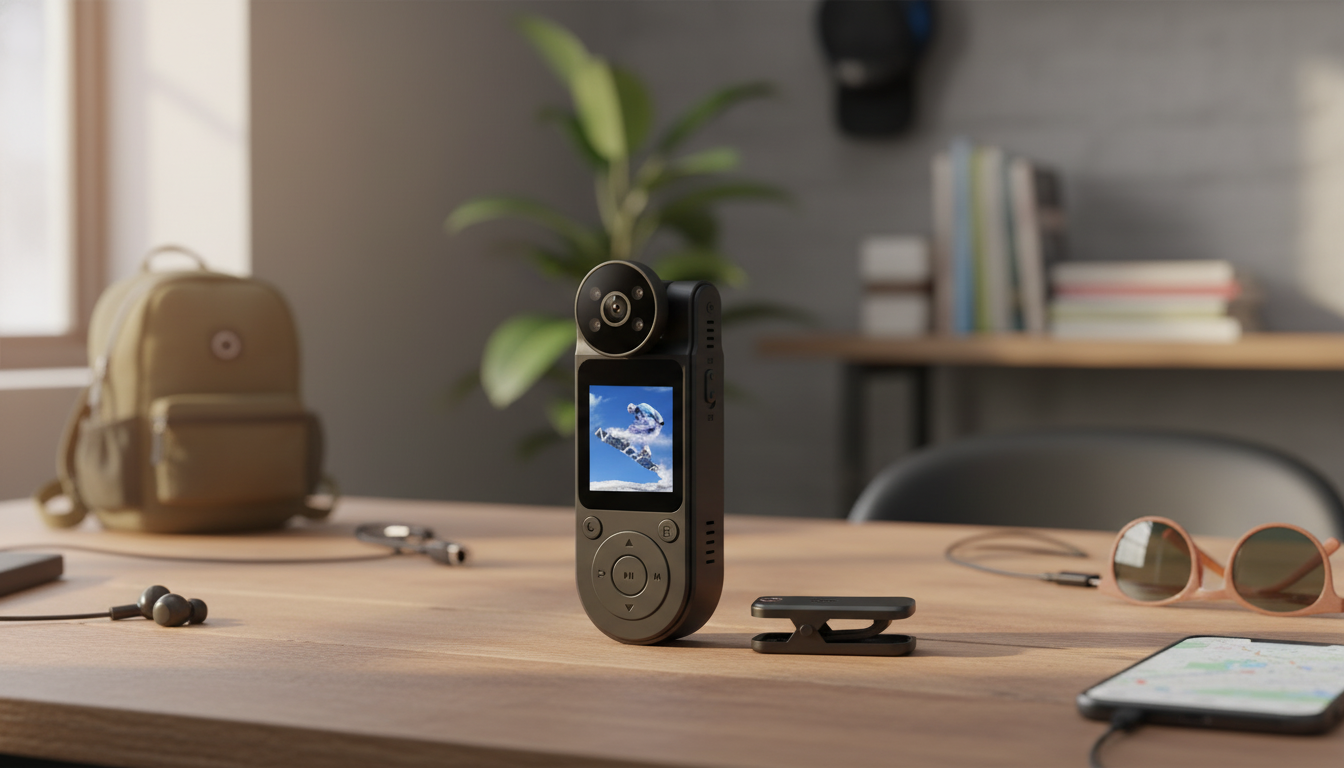
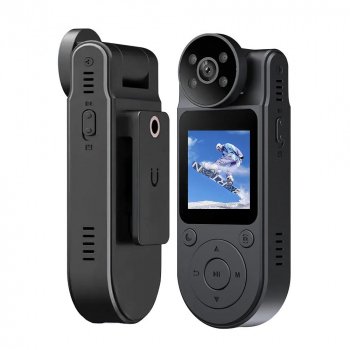
4K HD WiFi Body Electronic Camera with Night Vision and Magnetic Back Clip – Portable DVR Recorder
A compact body camera can capture clear video for personal security, deliveries, travel logs, biking, or hands-free documentation. This model combines 4K recording, WiFi connectivity, night vision, and a magnetic back clip so it can be worn or mounted quickly without bulky gear. If you want a simple, portable DVR-style recorder you can start and stop on the move, the 4K HD WiFi Body Electronic Camera with Night Vision and Magnetic Back Clip – Portable DVR Recorder is built around that grab-and-go use case. For more guidance, see The best body cameras | Digital Camera World.
What This Body Camera Helps With
- Hands-free recording for walking, cycling, commuting, and job sites where holding a phone is distracting.
- Personal safety documentation for rideshares, deliveries, and late-night travel (always follow local recording laws).
- Quick evidence capture for incidents, property concerns, or damage documentation when time matters.
- Short-form content capture when a phone is inconvenient or you want a chest-level perspective.
- Portable DVR-style recording for continuous clips or event-based recording during errands and shifts.
Key Features at a Glance
This camera focuses on practical features that make everyday recording easier—detail, connectivity, and low-light support—plus a mounting style that can save you from carrying extra brackets.
| Feature | Why it matters | Best use cases |
|---|---|---|
| 4K HD recording | Improves clarity when zooming or reviewing details | Commutes, deliveries, documentation |
| WiFi connection | More convenient file transfer and previews | Sharing clips, quick review |
| Night vision | Captures usable footage in low light | Evening walks, indoor dim areas |
| Magnetic back clip | Fast mounting without extra brackets | Uniforms, backpacks, tool bags |
| Portable DVR format | Simple start/stop recording on the move | Travel logs, job-site notes |
4K recording (with real-world expectations)
Higher resolution can help when you need to identify details like signage or a vehicle at closer range. Conditions still matter: lighting, motion, and distance can all affect what’s readable, so stable mounting and good framing are just as important as the spec sheet.
WiFi for preview and transfer
WiFi can make it easier to preview framing before you start an activity and to move files to your phone without hunting for cables. App support and compatibility can vary by phone model or manufacturing batch, so it’s smart to test your workflow once before relying on it for an important outing.
Night vision for low-light spaces
Night vision is especially useful in dim hallways, parking areas, garages, and indoor environments where phone video tends to get noisy. For best results, keep your subject closer and avoid harsh reflections.
Using the Magnetic Back Clip Safely and Effectively
- Choose stable placement: Clip to firm fabric, a strap, or a structured pocket area to reduce bounce and motion blur.
- Metal mounting check: If placing it on a metal surface (toolbox, shelving, certain vehicle panels), confirm the surface is clean and flat so it won’t slide.
- Angle for the horizon: When worn on the chest, tilt the lens slightly upward so you don’t record mostly ground.
- Mind magnetic sensitivity: Keep it away from magnetic stripe cards and be cautious around sensitive medical devices.
- Reduce wind shake: Outdoors, mount closer to your body’s centerline for steadier footage.
Night Vision Tips for Clearer Footage
- Avoid reflective targets: Mirrors, glass, and shiny surfaces can create glare and haze in low light.
- Let it stabilize: When moving from bright to dark areas, pause briefly so exposure and IR lighting can settle.
- Clean the lens: Fingerprints and smudges dramatically reduce sharpness at night.
- Close the distance: Identification quality drops quickly with range, even with night modes.
- Window recording caution: Filming through a windshield or window can reduce night performance due to reflections.
WiFi Setup and Clip Management
- Preview before you start: Pair with a compatible phone and confirm framing before a ride, delivery block, or walk.
- Transfer important files promptly: Freeing storage helps prevent overwriting or running out of space mid-activity.
- Name and back up: Use a simple routine like date + location + event to find clips later.
- Use shorter clips: Smaller files are easier to share and typically transfer faster over WiFi.
- Update when available: If the manufacturer provides firmware/app updates, staying current can improve stability.
Everyday Recording Etiquette and Privacy Basics
- Know audio consent rules: Recording audio can be regulated under one-party or two-party consent laws depending on location. A helpful overview is available from the National Conference of State Legislatures (NCSL).
- Ask in private spaces: Homes, restrooms, medical settings, and other sensitive areas generally require explicit permission.
- Public recording isn’t unlimited: Even when filming is allowed, privacy expectations and platform policies may still apply. For public-official recording principles, see the ACLU guidance on the right to record.
- Keep originals for disputes: If footage could matter later, retain the original files and avoid heavy edits that can raise questions about authenticity.
- De-escalate: Use recording to document, not to provoke or intensify conflict.
Recommended Add-Ons for a Smoother Setup
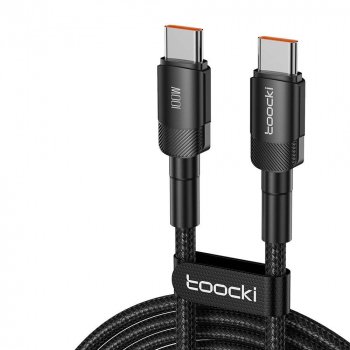
- Reliable charging: A durable cable helps keep the camera ready between shifts and trips. Consider the 100W USB-C to USB-C Fast Charging Cable with PD 3.0 & QC 4.0 – 5A Power for fast, consistent charging with compatible power sources.
- Simple backup routine: Move key clips to a computer or external drive regularly so you’re not relying on one device for storage.
- Lens care: A microfiber cloth keeps footage sharper, especially for night vision where smudges are more noticeable.
- Carry protection: A pouch helps prevent scratches and accidental button presses inside a bag.
FAQ
Can civilians buy body cameras
In many places, yes—body cameras are widely available to the public. Restrictions typically relate to how you record (especially audio consent) and where you record (private property or sensitive areas), so check local rules and posted policies before using one.










Leave a comment