

1080P Smart Projector: Dolby Audio, Dual-Band WiFi
1080P Smart Home Theater Projector with Dolby Audio, Dual‑Band WiFi, and Keystone Correction
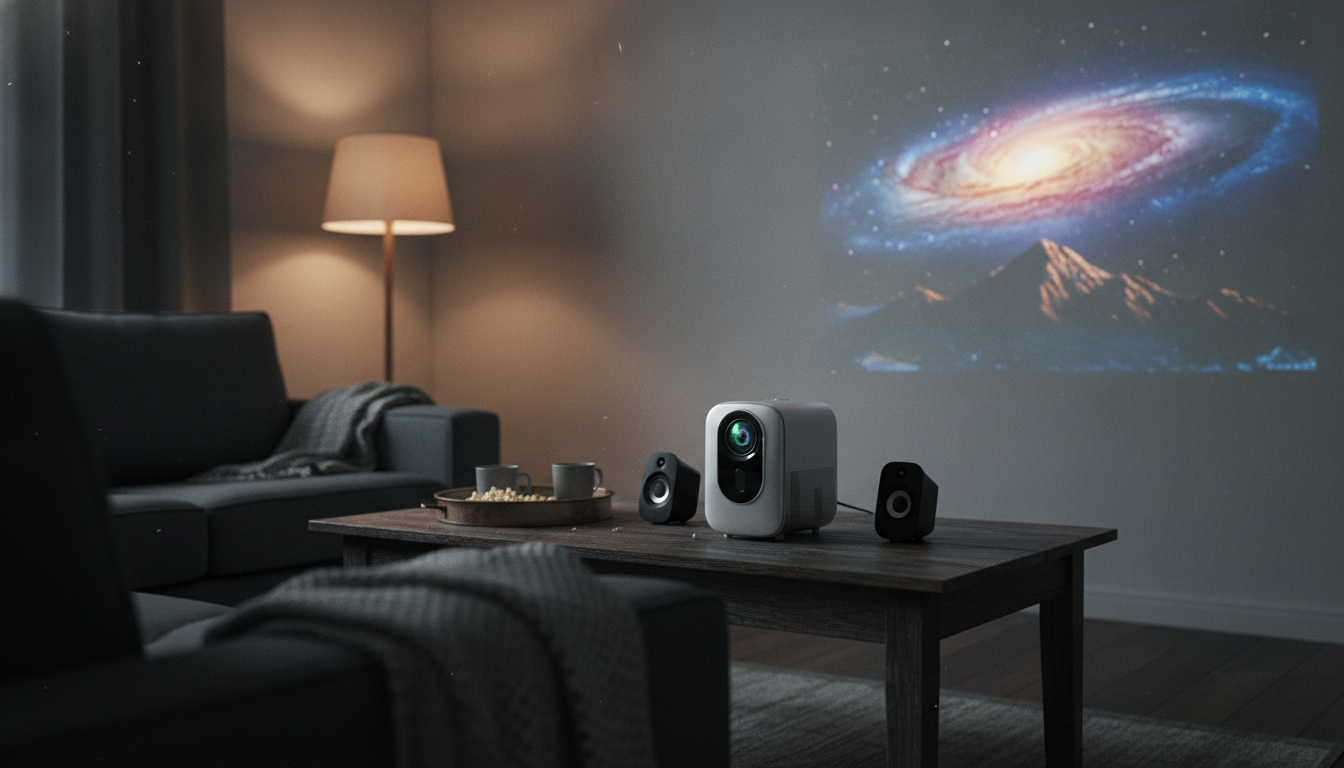
A home theater projector can feel effortless when picture, sound, and streaming connect smoothly. This 1080P smart projector combines high-definition playback, Dolby Audio support, dual-band WiFi for more stable wireless casting, and keystone correction to help square the image when placement isn’t perfect—ideal for movie nights, sports, and casual gaming in a living room or bedroom setup.
What This Projector Is Built For
This style of smart home theater projector is designed to deliver a “big screen” experience without turning your space into a complicated AV project. It’s a strong fit for everyday entertainment where flexibility matters as much as specs.
- Home cinema viewing with full HD (1080P) detail for movies, shows, and live sports
- Simple living-room setups where the projector may sit off-center and still needs a squared image
- Wireless streaming/casting with dual-band WiFi to reduce congestion compared with single-band connections
- Better built-in audio experience with Dolby Audio support for clearer dialogue and fuller sound
Key Features That Shape Everyday Use
1080P high-definition image
A 1080P output helps preserve the small visual cues that make projected video feel crisp—think readable subtitles, jersey numbers during sports, and clearer facial details during close-ups. It’s also a comfortable resolution for common streaming quality levels, so content doesn’t feel like it’s being “stretched” beyond what it can deliver.
Dolby Audio support
With Dolby Audio support, compatible content can sound more intelligible and dynamic, especially when voices and sound effects are competing. For more on how Dolby technologies are designed, see Dolby Audio.
Dual-band WiFi (2.4GHz/5GHz)
Dual-band WiFi gives you options: 2.4GHz often reaches farther and handles walls better, while 5GHz is typically cleaner and faster at shorter range. If your home has many connected devices, being able to choose a less congested band can make casting and streaming feel steadier. For background on how Wi‑Fi bands work in general, the Wi‑Fi Alliance’s overview is a helpful reference.
Keystone correction
When a projector sits too high, too low, or off to one side, the image can turn into a trapezoid instead of a rectangle. Keystone correction digitally reshapes that picture so the corners line up more naturally with your screen or wall.
Smart functionality
Smart features can reduce how many extra boxes you need for casual playback. For many setups, it’s the difference between “project and press play” versus managing multiple remotes, inputs, and adapters.
Key Specs at a Glance
Use this overview to quickly compare what matters most for placement, connectivity, and viewing comfort.
| Spec | What it means | Why it matters at home |
|---|---|---|
| Resolution: 1080P | Full HD picture output | Sharper text and clearer detail for movies and streaming |
| Audio: Dolby Audio support | Enhanced audio decoding/processing compatibility | Clearer dialogue and more immersive sound from compatible sources |
| Wireless: Dual-band WiFi | Supports 2.4GHz and 5GHz networks | More reliable casting/streaming depending on router distance and interference |
| Image alignment: Keystone correction | Digital correction for angled projection | More flexible placement without a skewed image |
| Availability | In stock | Ready to ship when needed for a quick setup |
Placement and Room Setup Tips
- Choose the screen surface: A smooth white wall works for casual use; a dedicated screen can improve perceived contrast and uniformity.
- Control ambient light: Dimming lights and blocking daylight typically has the biggest impact on perceived image quality.
- Position for comfort: Place seating so heads don’t cast shadows into the beam and the screen is at a natural eye level.
- Start centered when possible: Keystone correction helps, but the most natural-looking geometry is usually achieved when the projector faces the screen straight on.
- Keep airflow clear: Avoid placing the unit in enclosed spaces that can trap heat and increase fan noise.
For broader planning and room-integration guidance, CEDIA is a reputable source for home technology best practices.
How Dual‑Band WiFi Helps Streaming and Casting
- Use 5GHz when the router is nearby: It often delivers faster speeds and less interference from neighboring networks.
- Use 2.4GHz for longer reach: It can travel farther and through walls better, which can help in bedrooms or basement setups.
- If video stutters: Reduce distance to the router, switch bands, or minimize competing traffic (large downloads, multiple 4K streams, etc.).
- For best reliability: A consistent network matters more than peak speed—choose the band that stays stable in the projector’s location.
Getting Better Sound with Dolby Audio Support
Keystone Correction: When to Use It (and When Not To)
Product Snapshot and Where to Buy
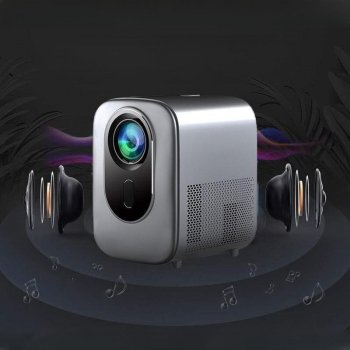
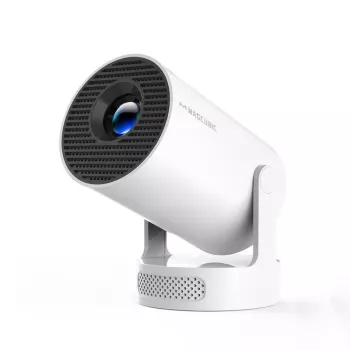
If you’re ready to build a simple big-screen setup, the 1080P High-Definition Smart Home Theater Projector with Dolby Audio, Dual-Band WiFi, and Keystone Correction is currently in stock at $355.01 (USD, subject to change). It’s suited for full HD streaming, casual big-screen gaming, and weeknight movie sessions where quick setup matters.
For a different kind of “night-in” gear—especially if your entertainment leans toward backyard skywatching—consider the 125mm F10 Schmidt-Cassegrain Computerized GoTo Astronomical Telescope with StarBright XLT, also in stock, as a premium option for guided viewing of celestial targets.
FAQ
What is keystone correction on my projector?
Keystone correction digitally reshapes a trapezoid-looking projection into a more rectangular image when the projector is angled. It makes placement more flexible, but extreme correction can slightly reduce perceived sharpness, so it’s best to align the projector physically first and then fine-tune.










Leave a comment